




Create a table
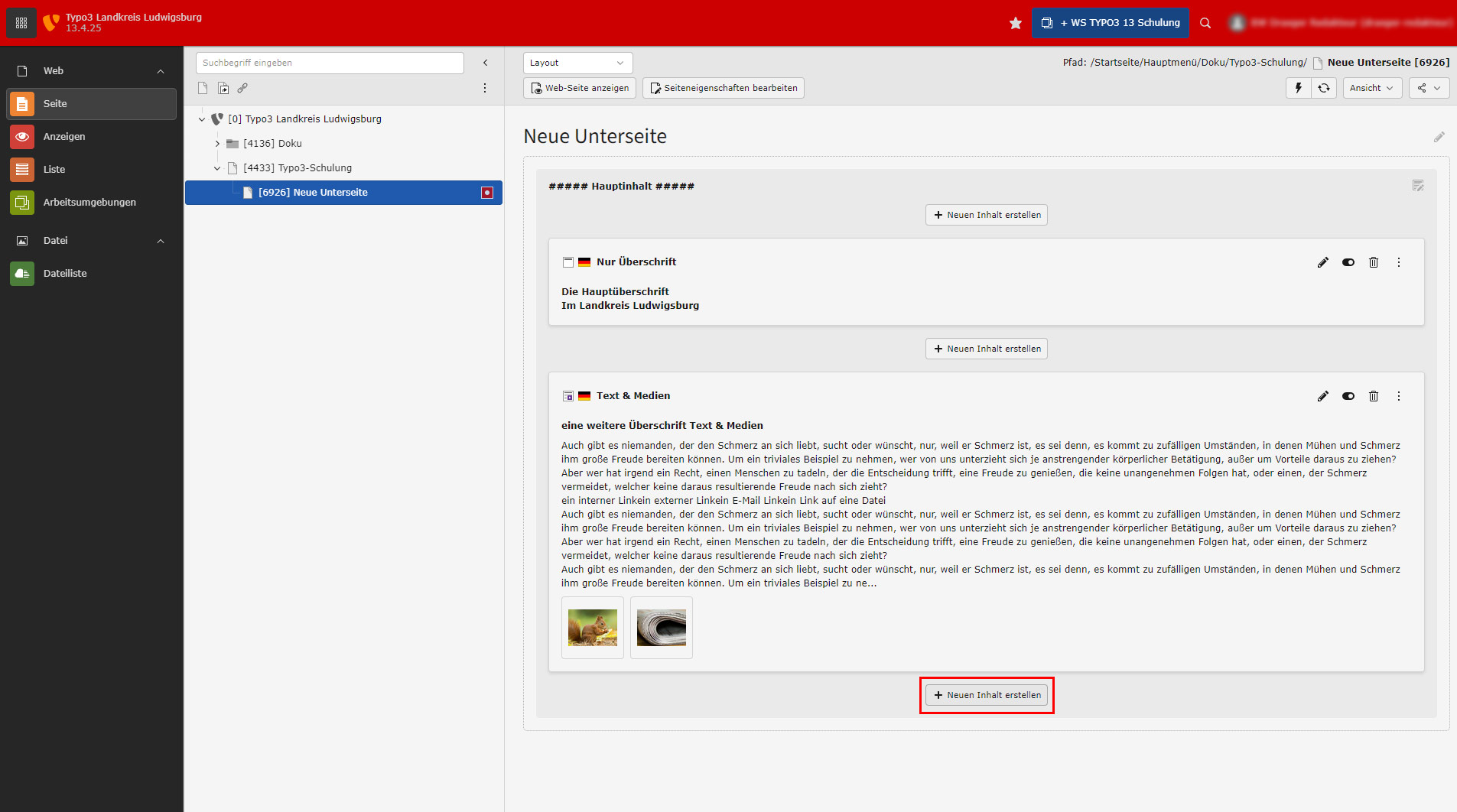
To create a table, you need a content element of the type Text & Media. You can of course also edit an existing one.
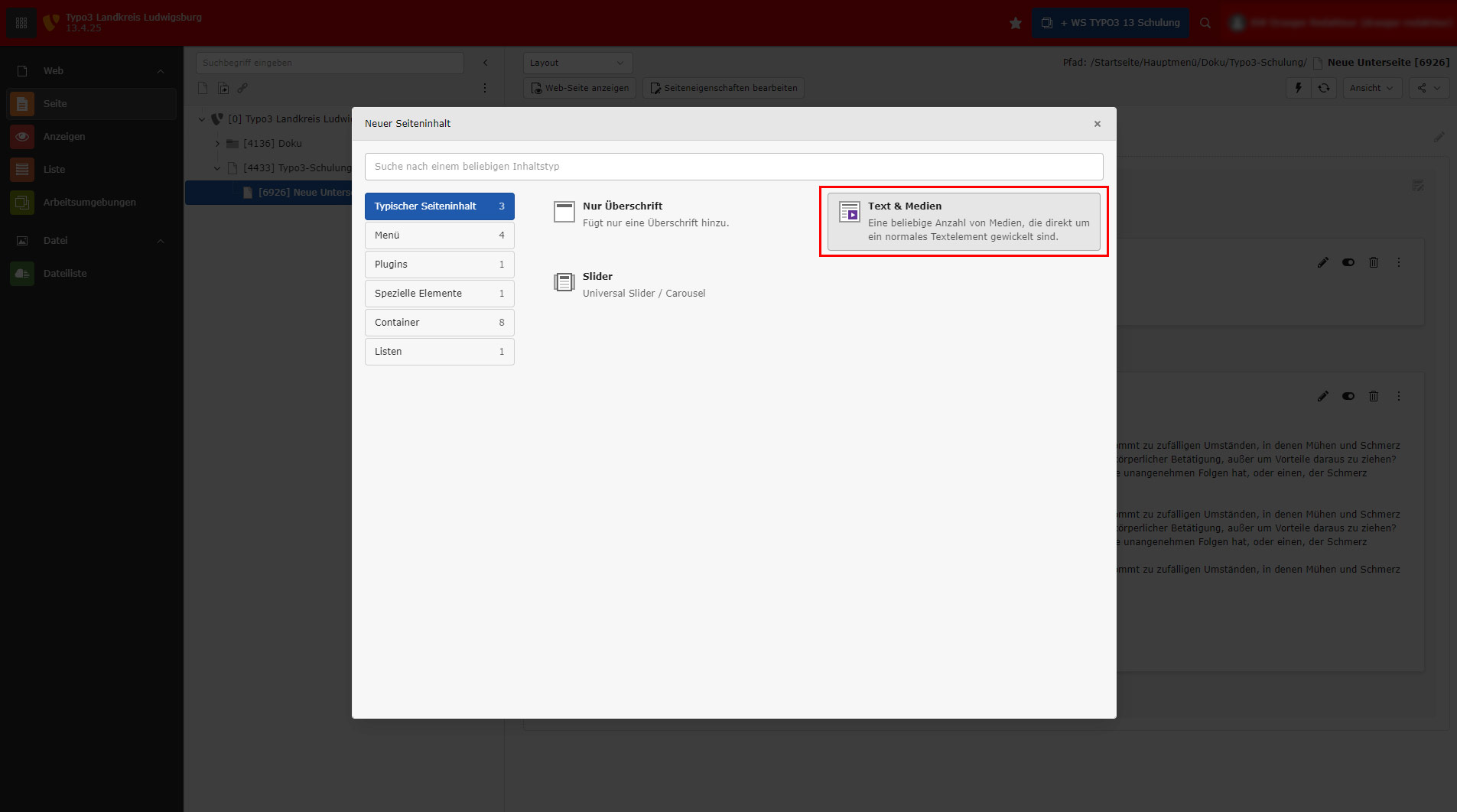
If you want to create a new content element for the table (recommended), select Text & Media.
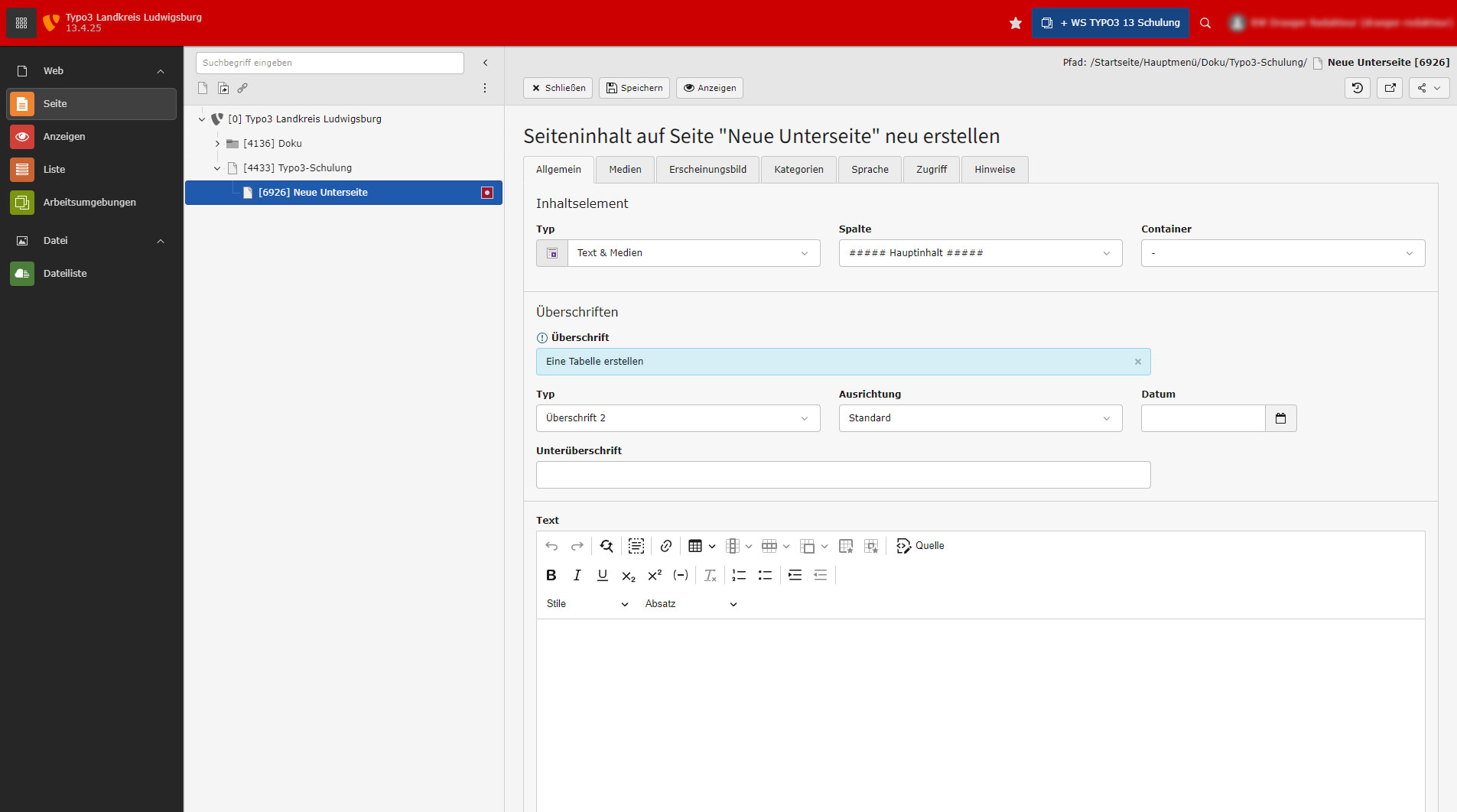
Enter a heading if required.
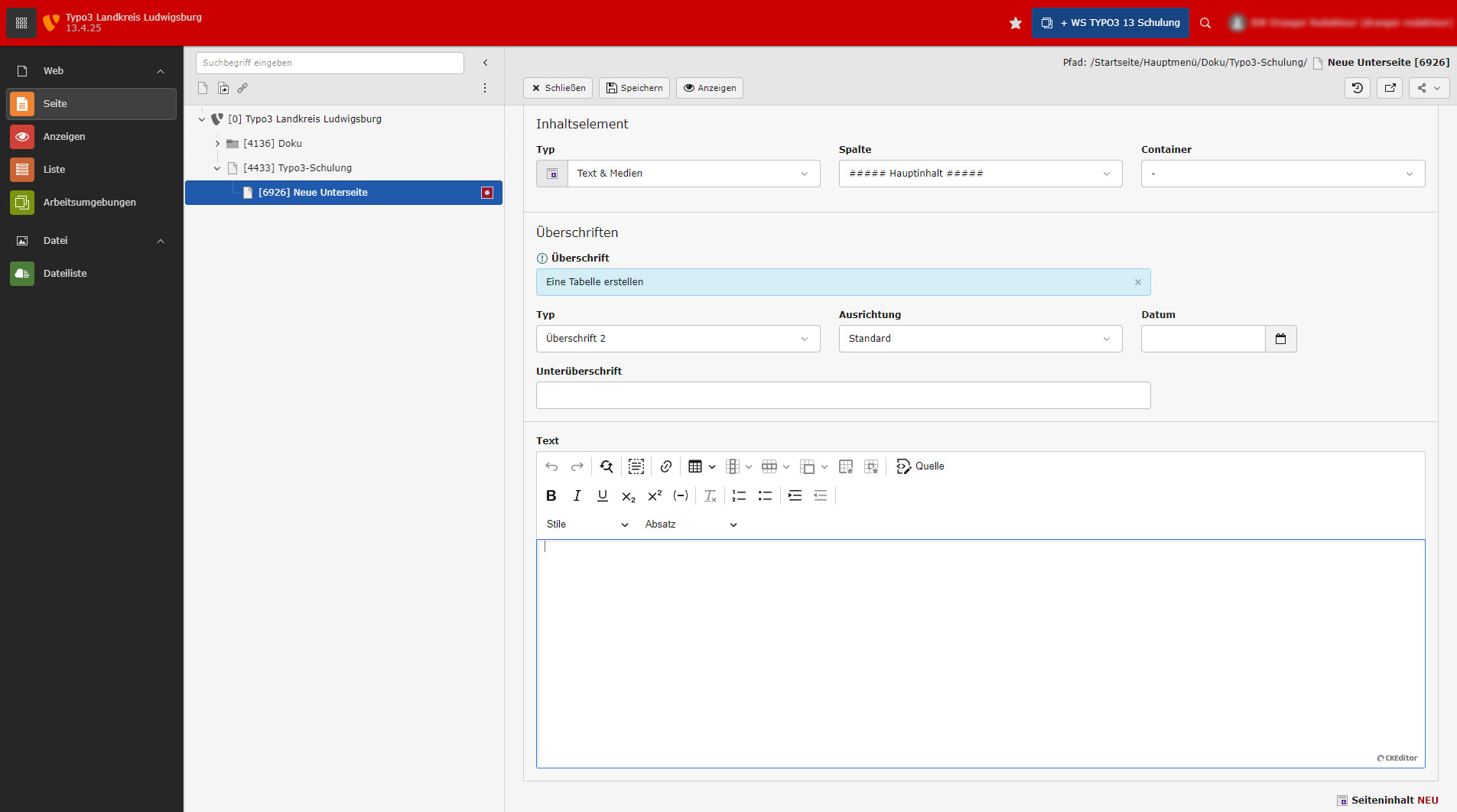
Scroll down to the editor.
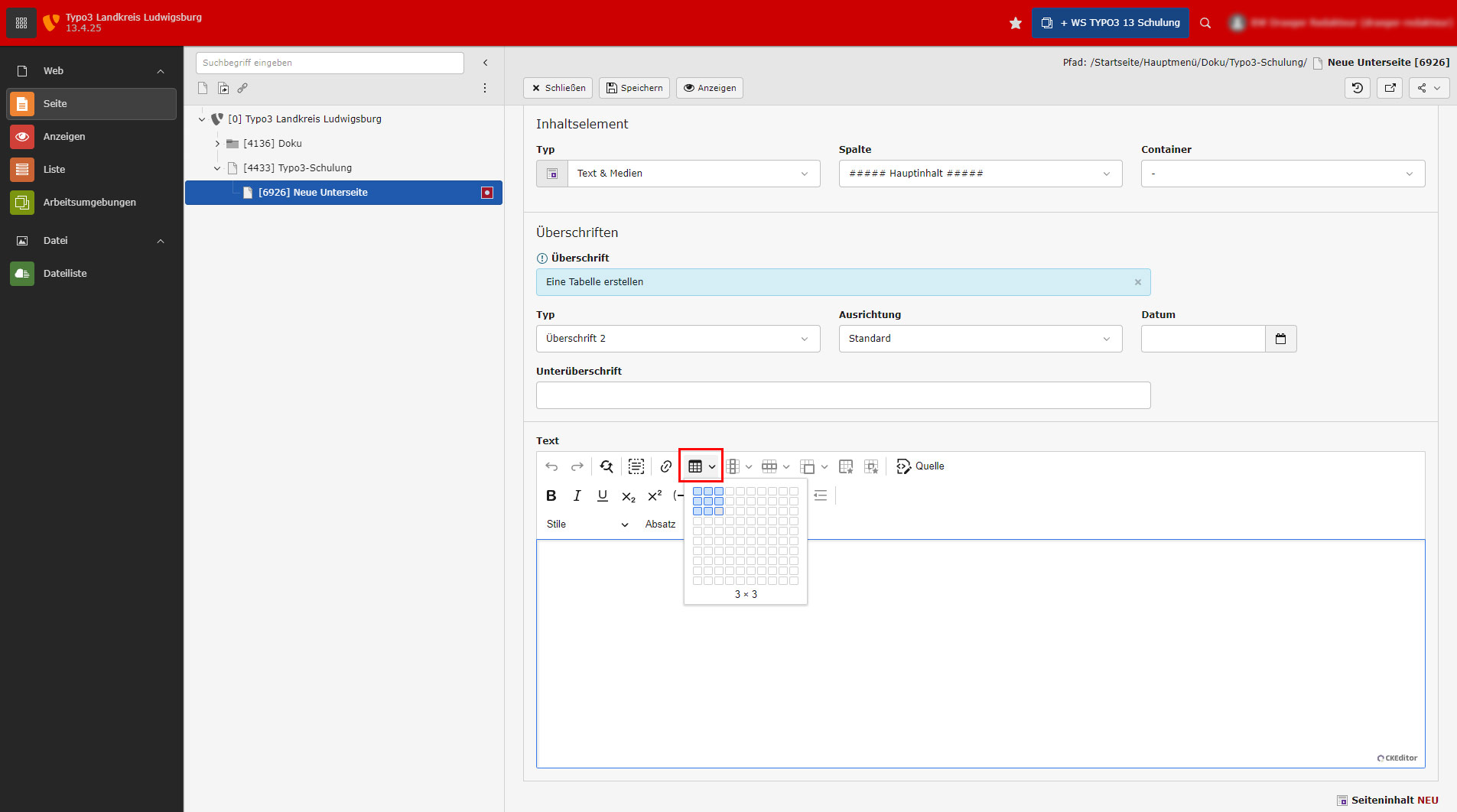
Click on the Create table icon and select the corresponding number of columns and rows with the mouse. You have the option of adding columns or rows at any time.
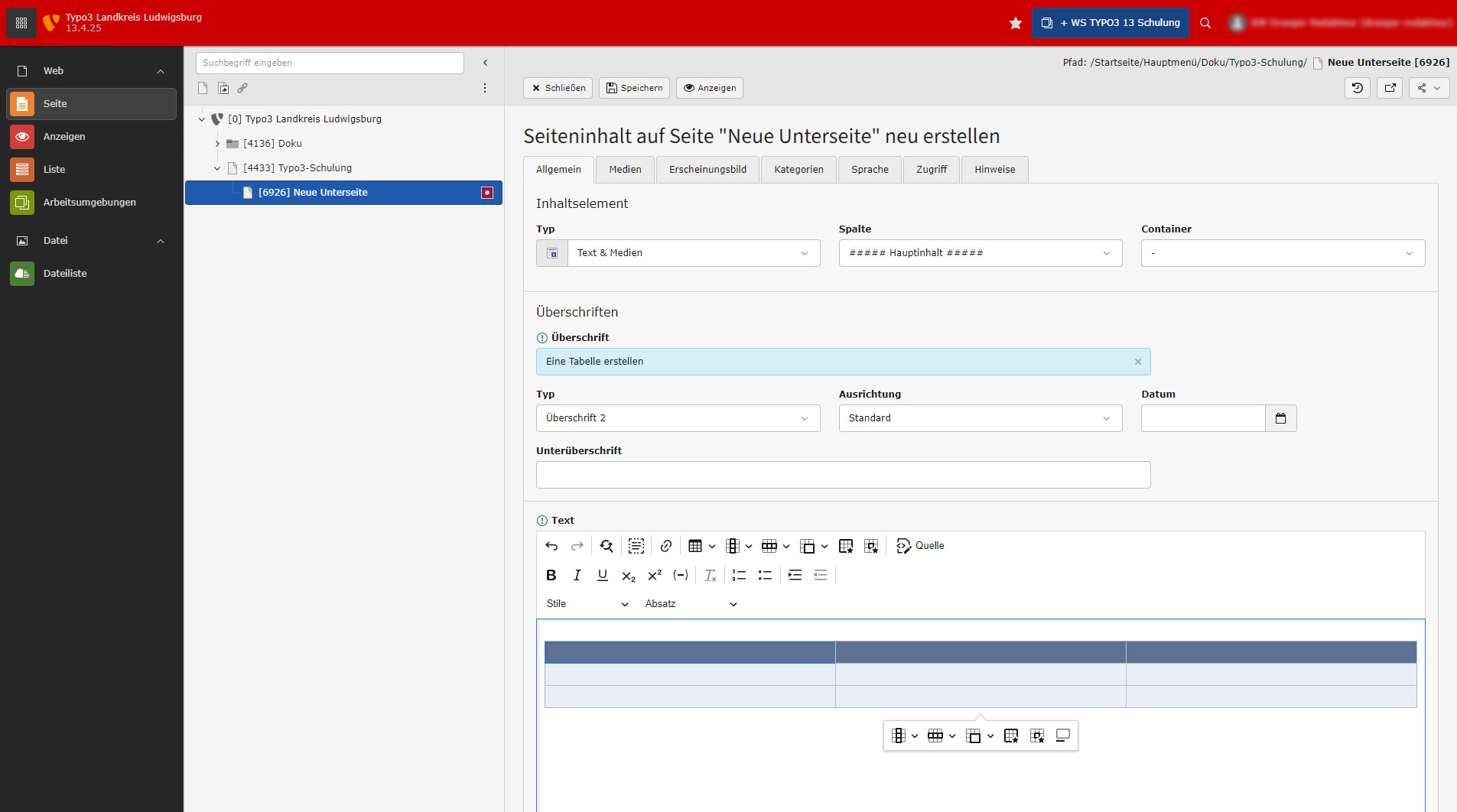
After you have selected the table, a table becomes visible in the editor. A table toolbar is also displayed. Tables are always 100% in width by default. This should not be restricted. The appearance of the tables is basically defined by styling. If possible, you should not try to be artistic here with different colors or anything like that.
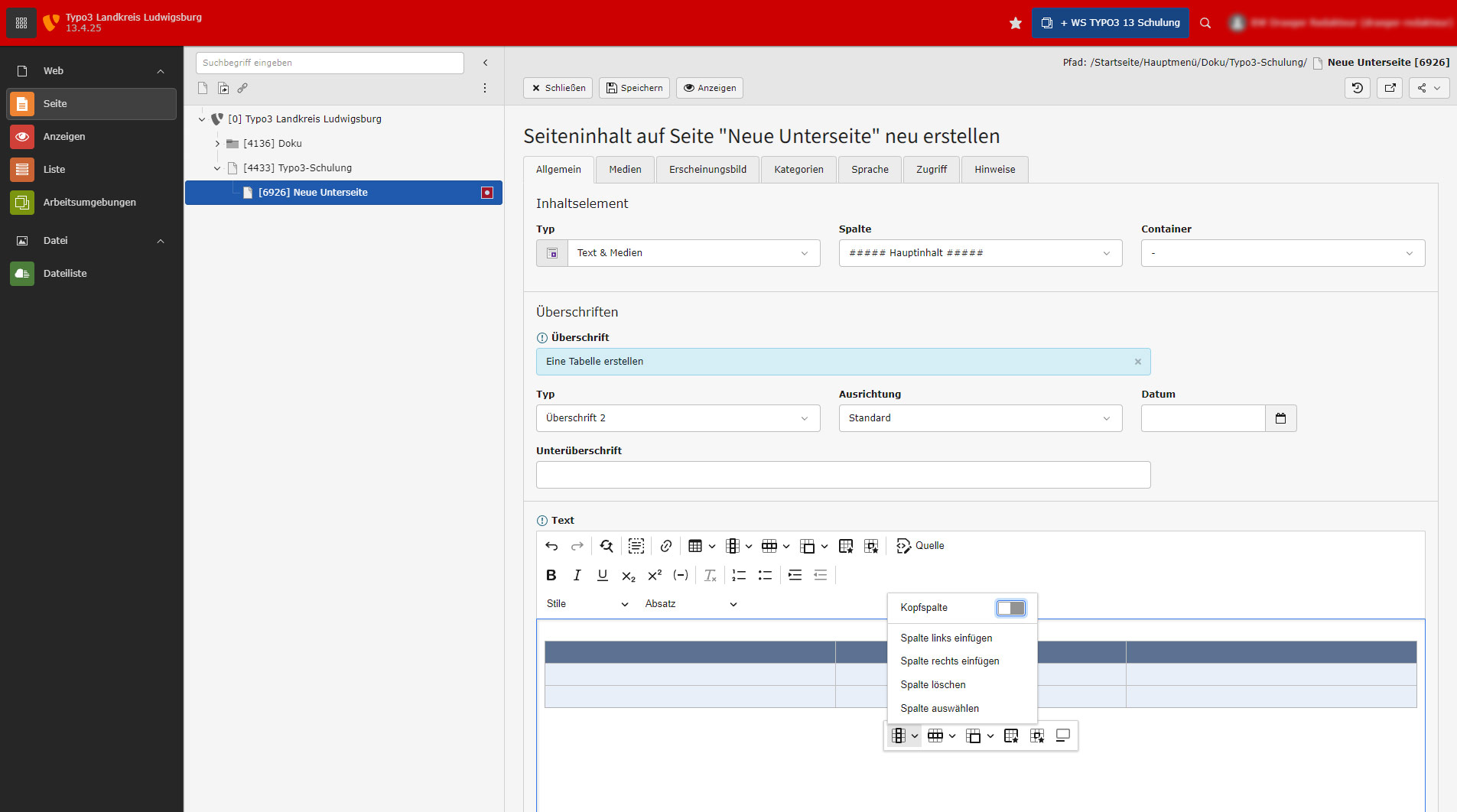
The icon on the left opens a small menu for columns.
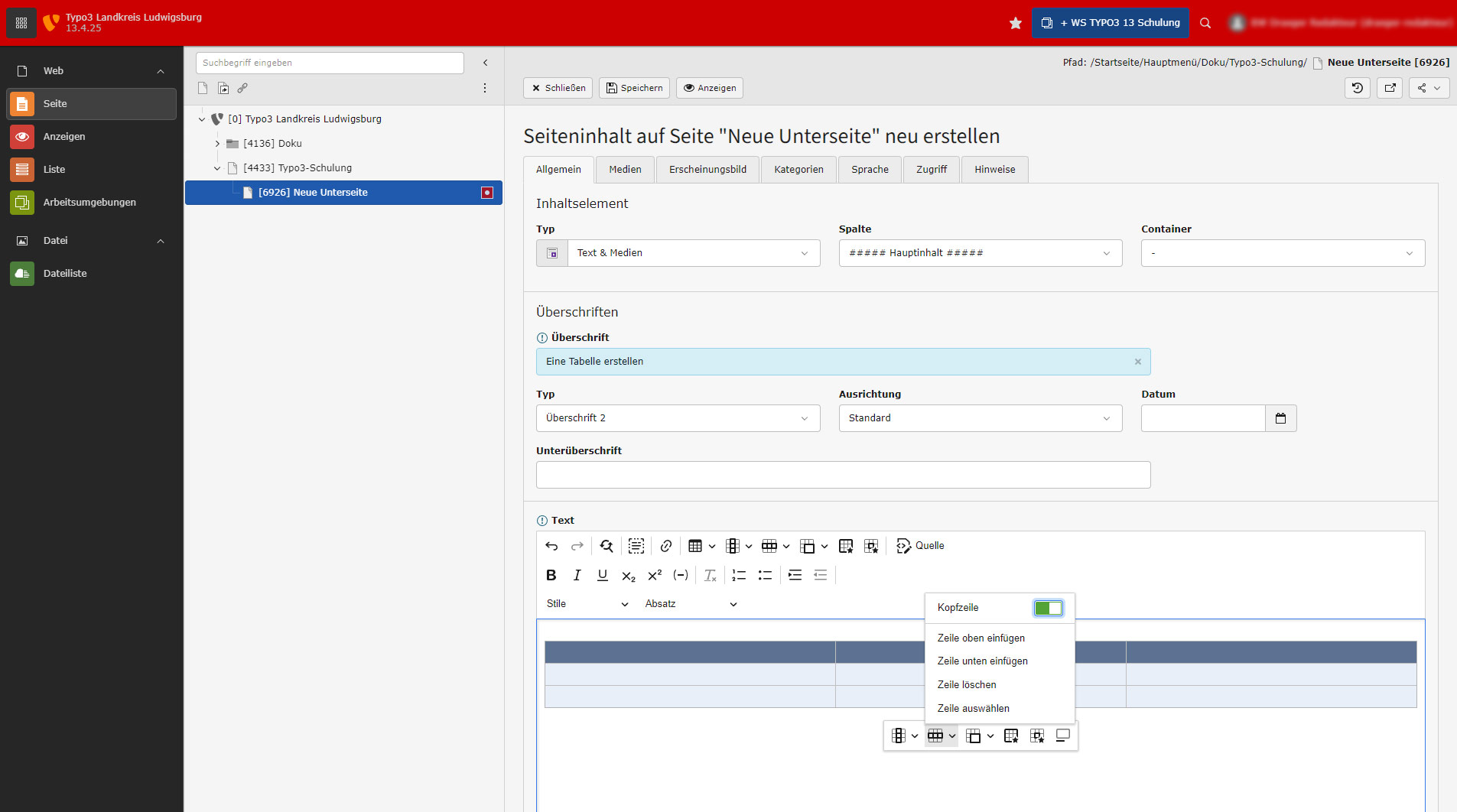
The 2nd symbol from the left opens a small menu for lines.

The 3rd icon from the left opens a menu for cells in the table.
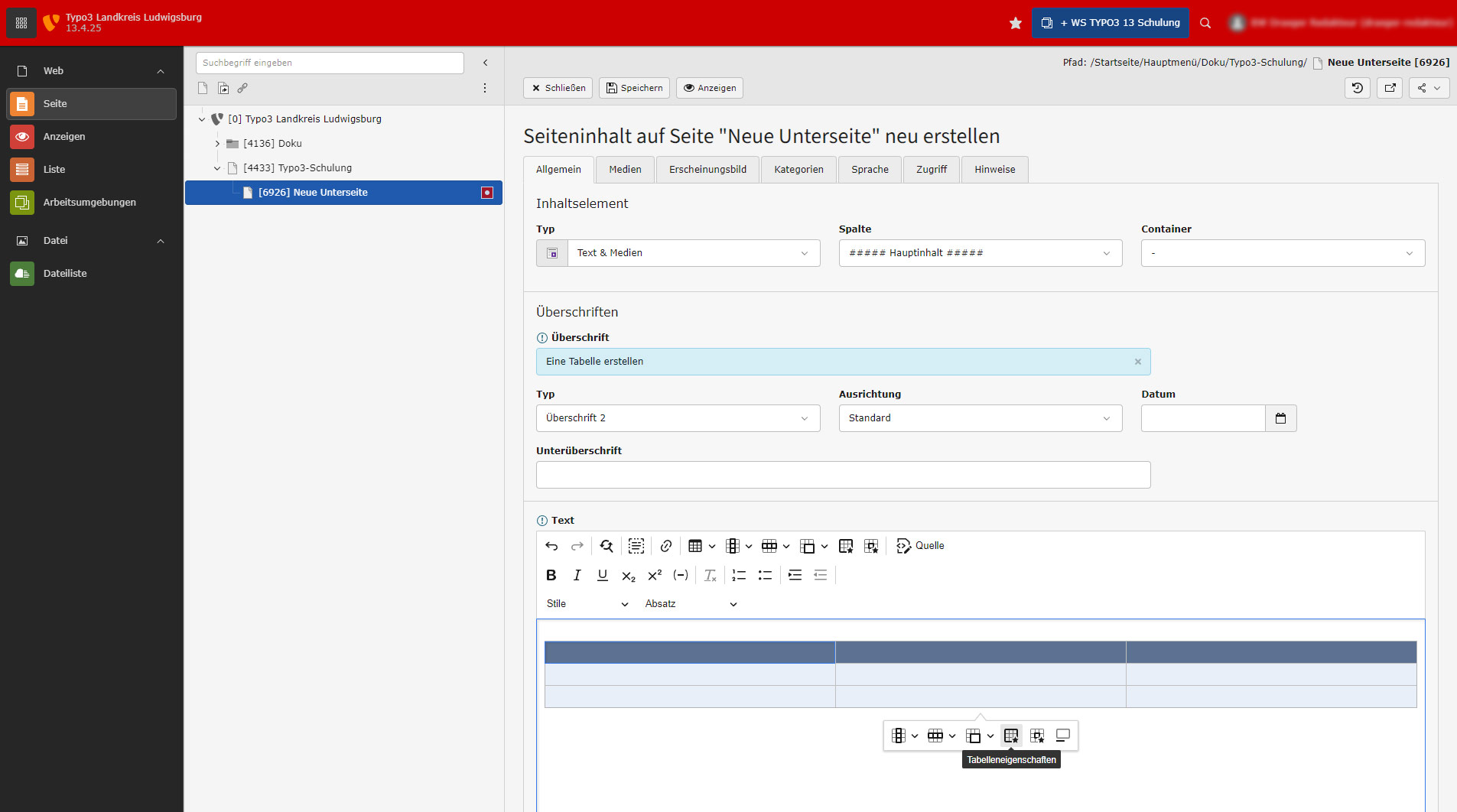
Click here for the table properties.
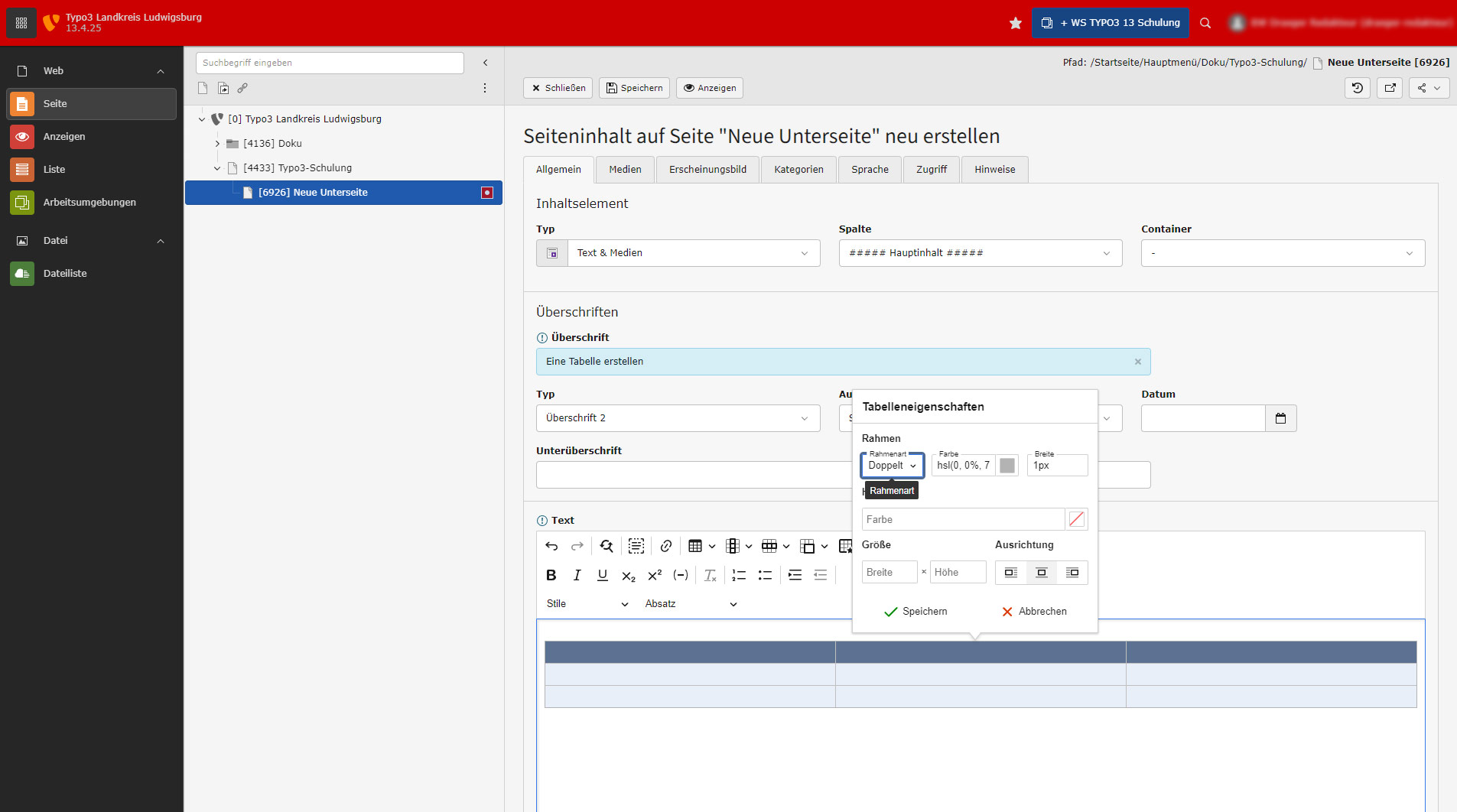
The open table properties menu. Tables are always 100% wide by default and make maximum use of the available space. You should not restrict this here.
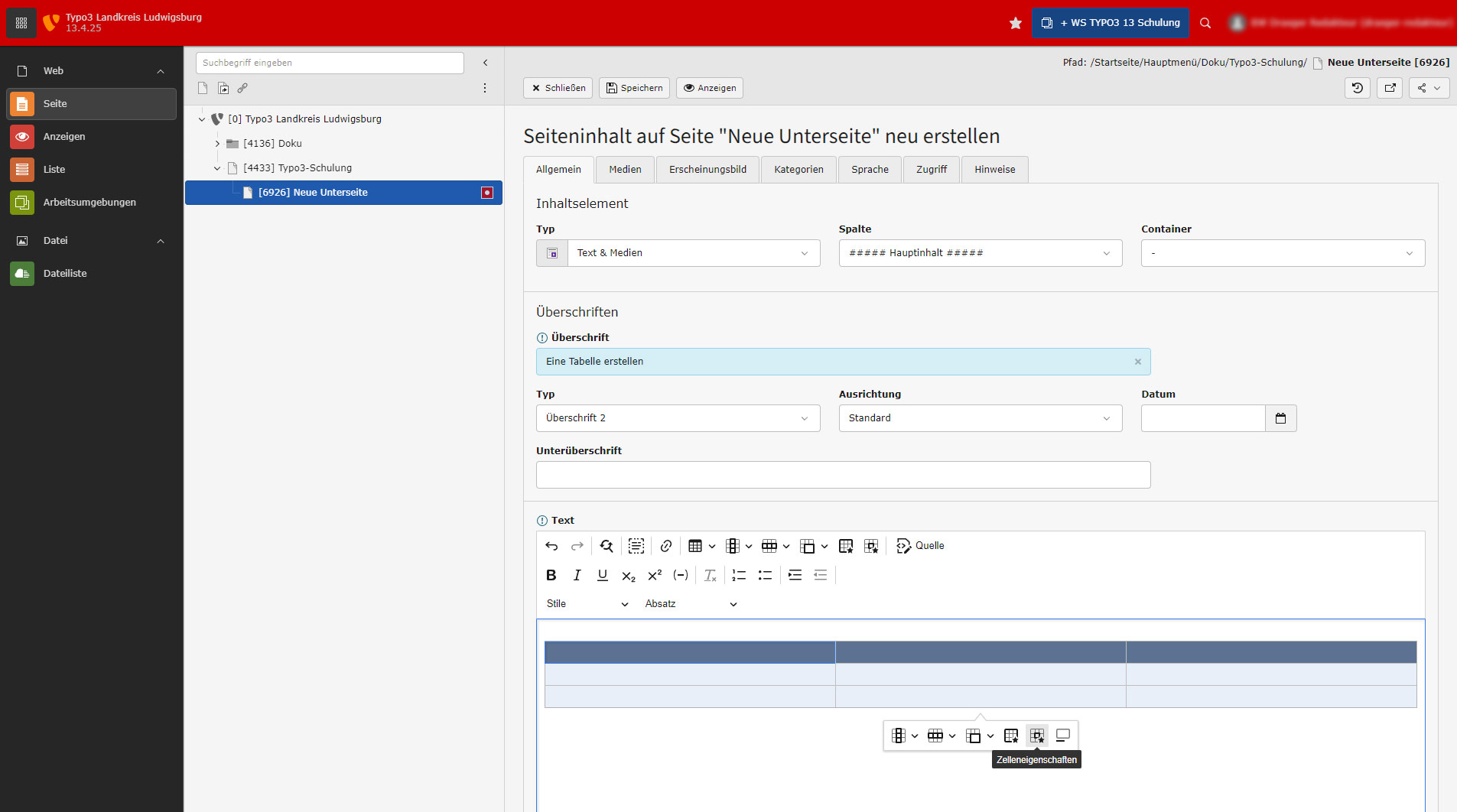
Click here to go to the cell properties menu. Depending on the selected cell, i.e. where you clicked in the cell, set the properties accordingly.

The open cell properties menu.
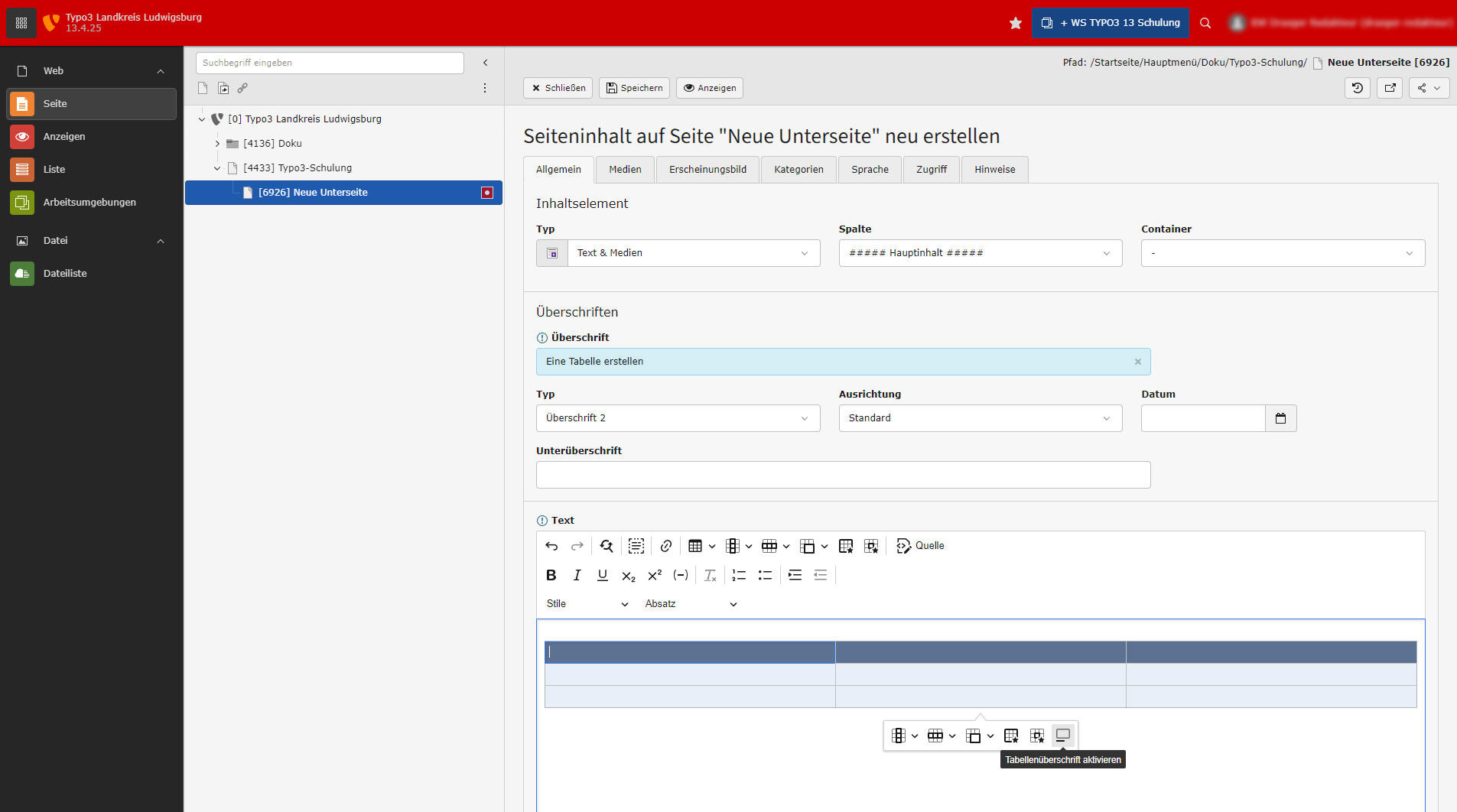
The table heading symbol. This function is not used in the project.

View with activated table heading. However, this function is not used in the project.
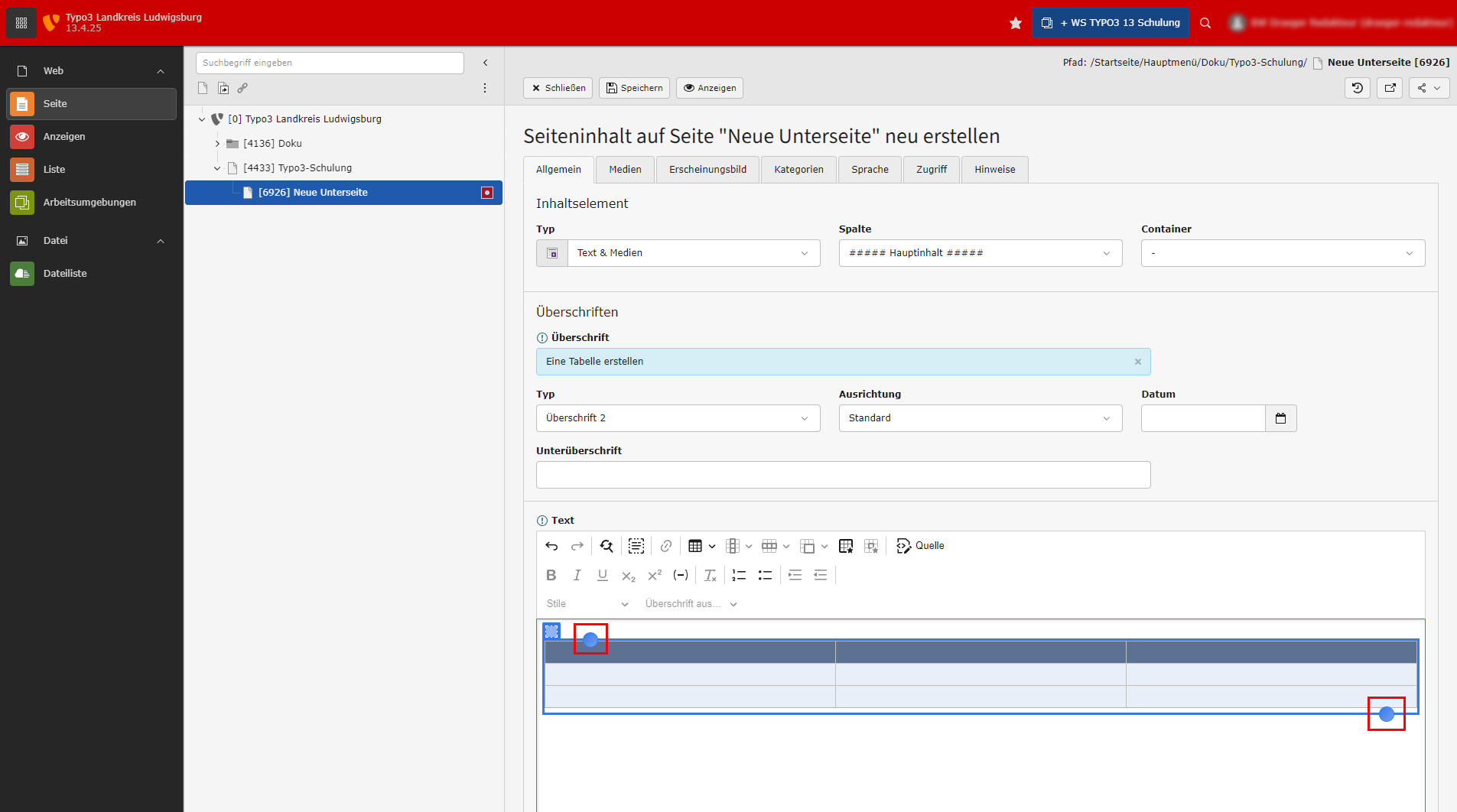
For paragraphs before or after the table, use the circles on the table. These tools are always displayed or appear when you move the mouse over the table.
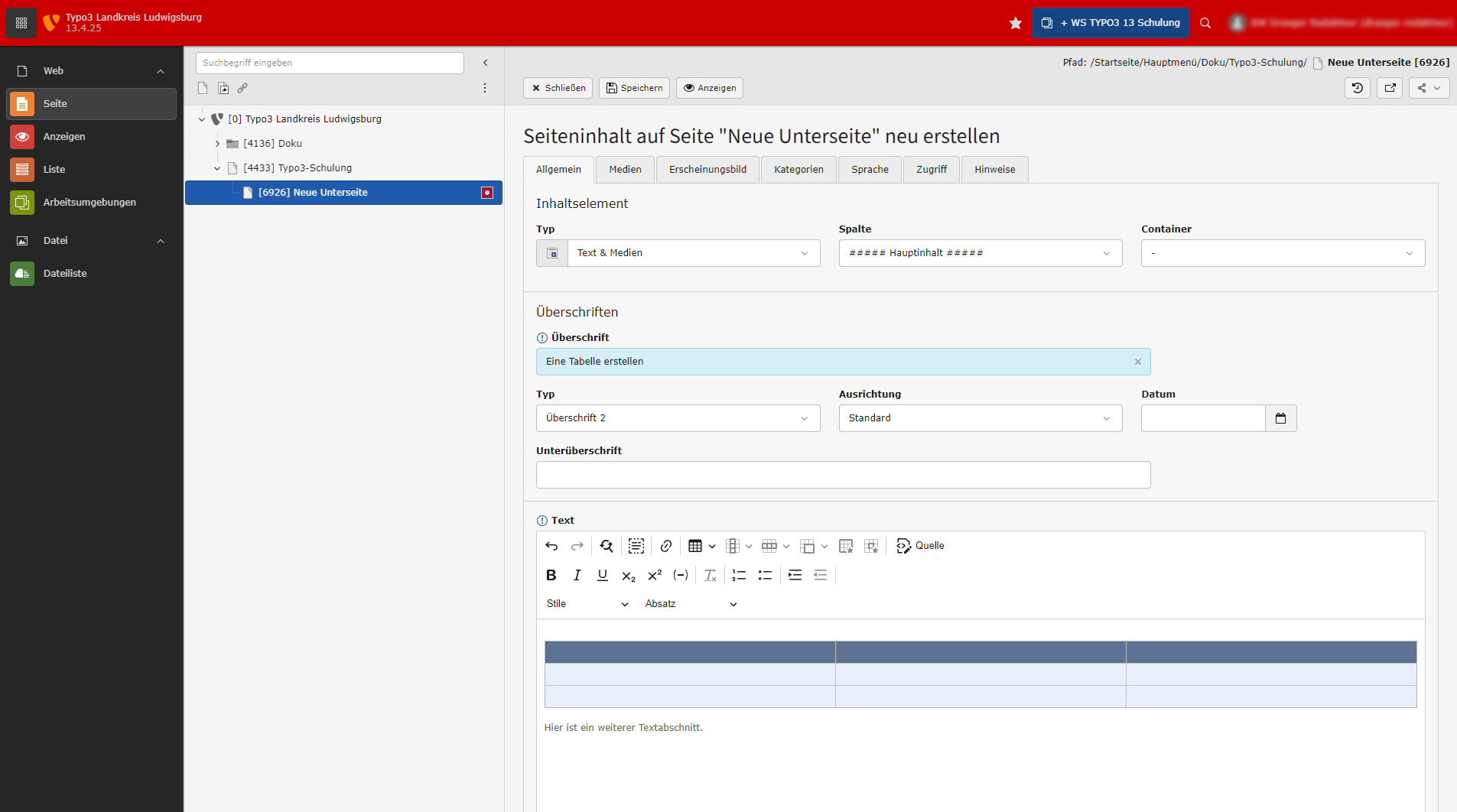
Here is a generated paragraph after the table.
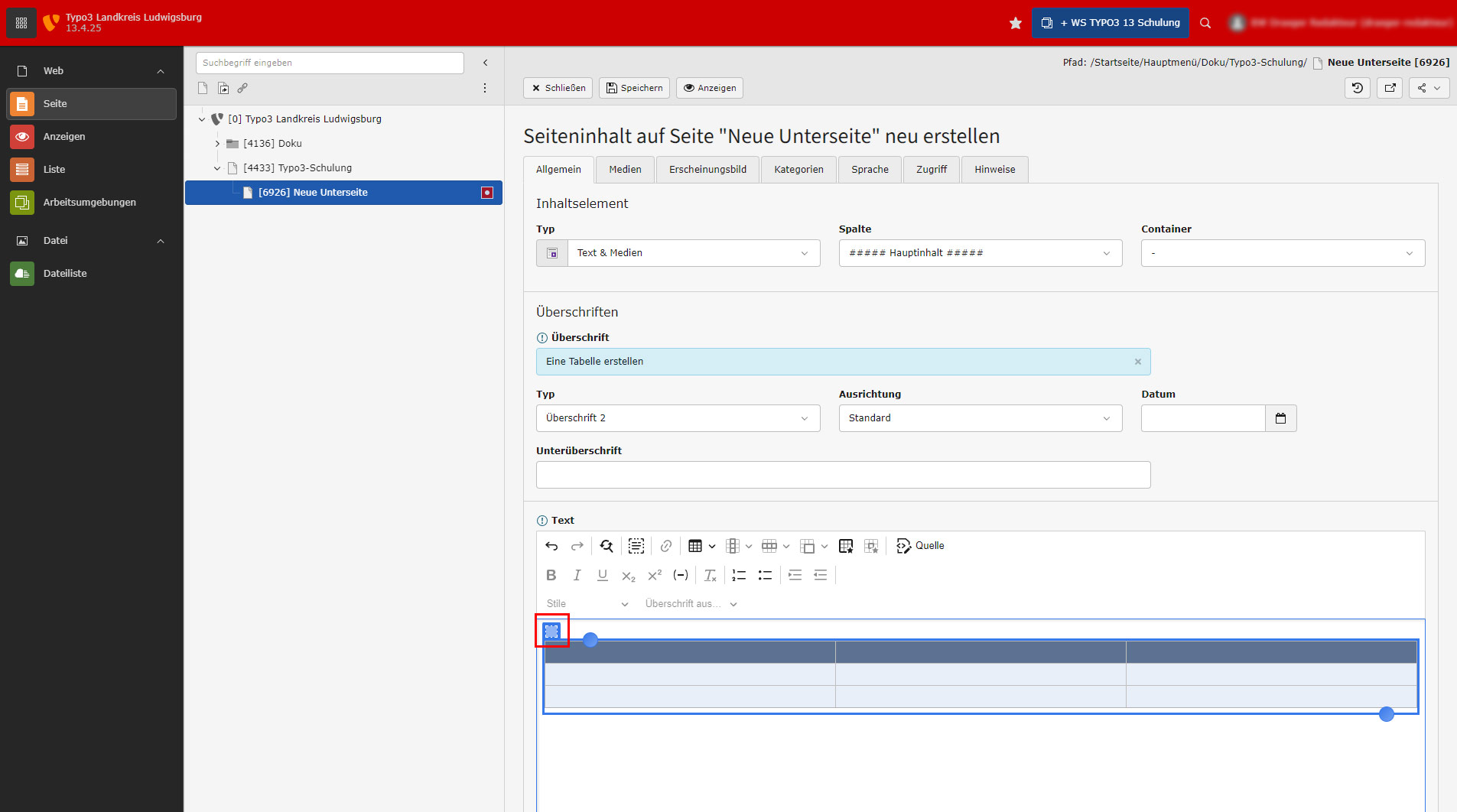
To activate the table icons, click on the square at the top left of the table.
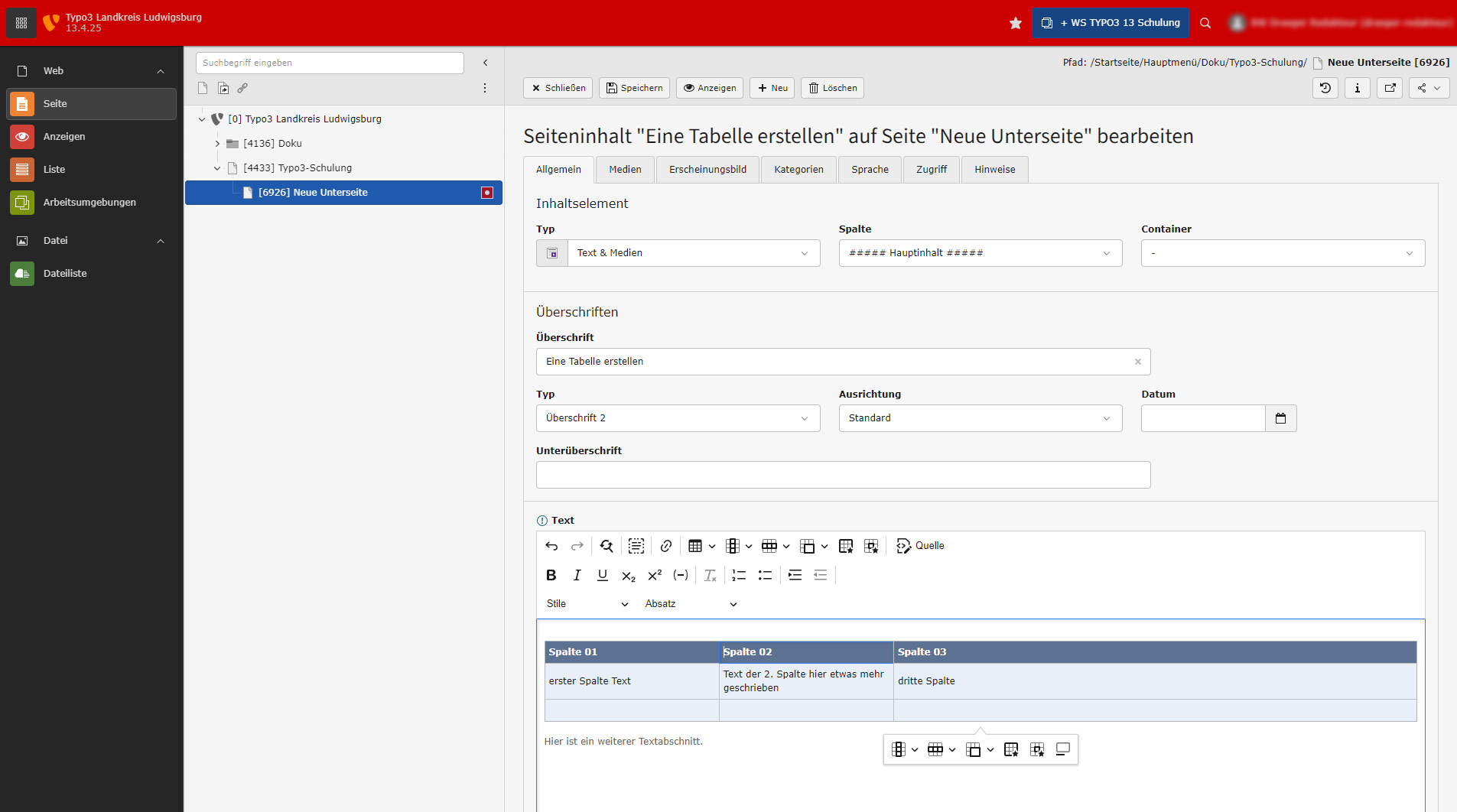
Here are the table icons visible again after clicking on the square at the top left of the table. In addition, the cells have been filled with content. The width of the cells results automatically from the content, but can be adjusted via the cell properties if required.
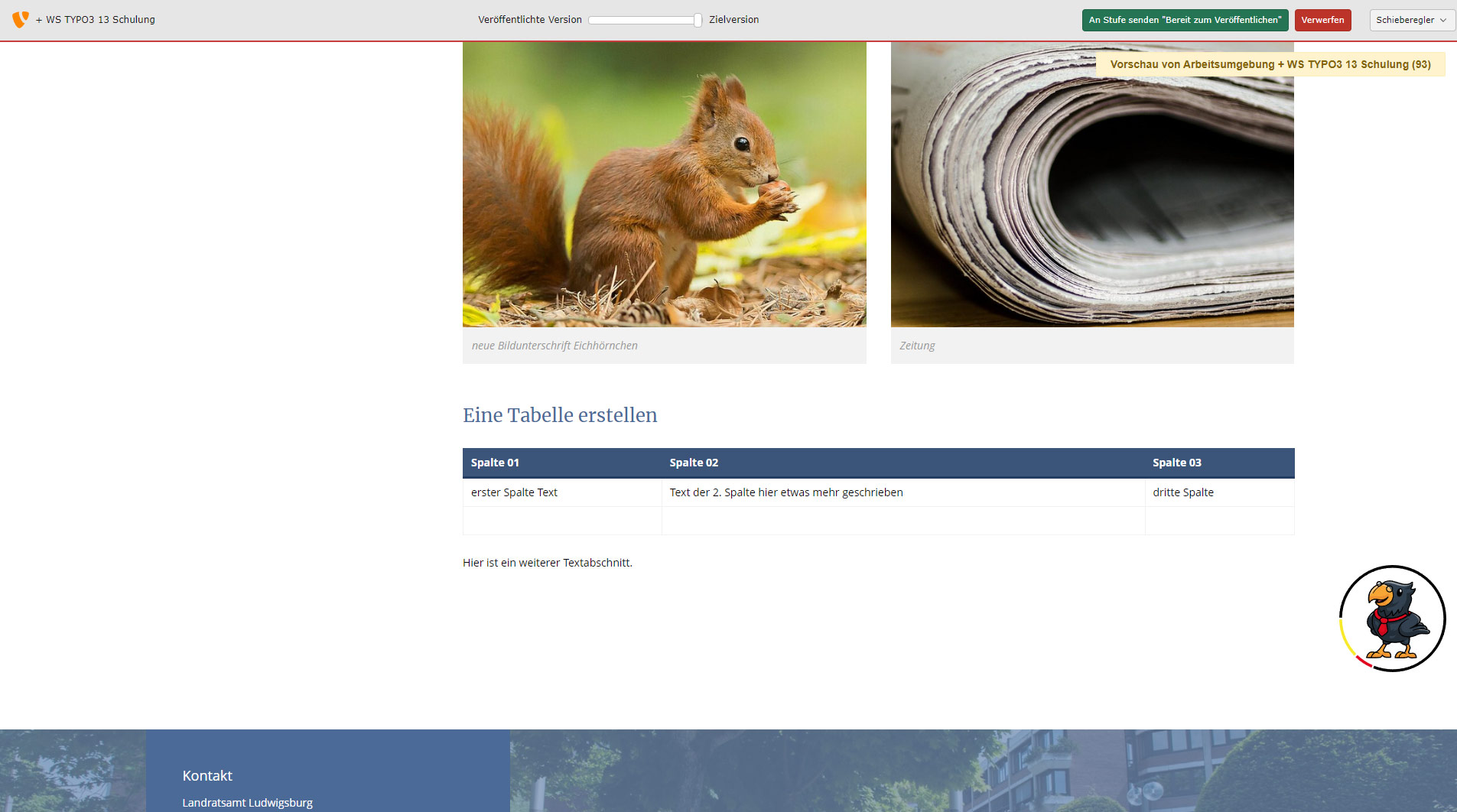
After "Save" and "Display" the changes, preview the generated table with the following paragraph.
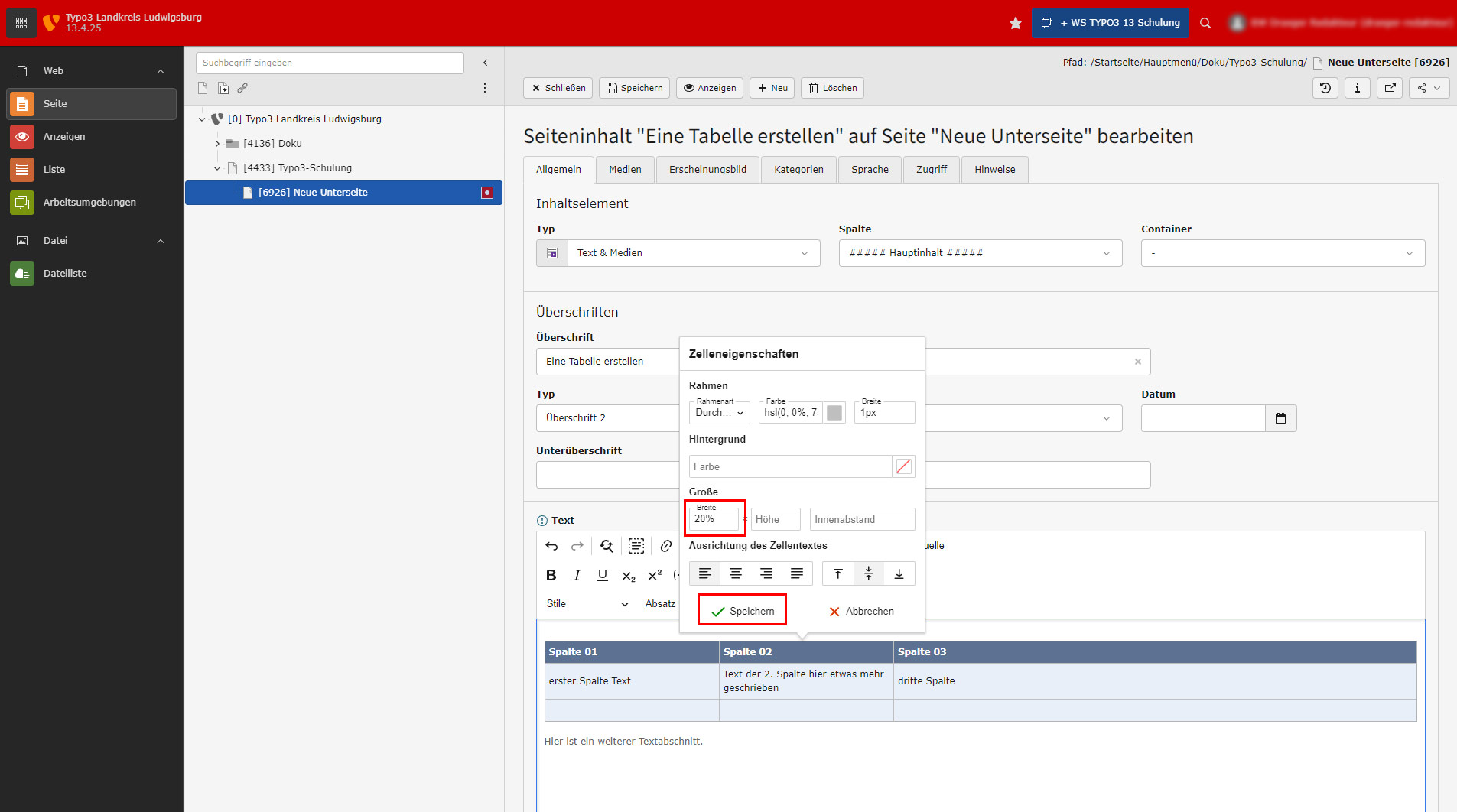
Here, the width was set to 20% each via the cell properties of the cells "Column 01" and "Column 02" in "Row 1". Please only ever use percentages so that the table remains fully flexible depending on the device size.

The result after changing the two cells to 20% width in the frontend.